llms.txt
Cekura Brand Identity
A complete profile of Cekura's visual system — colors, typography, components, and personality.
Quick Facts
| Field | Value |
|---|---|
| Primary | #A6A7EA |
| Accent | #000000 |
| Body Font | Inter |
| Heading Font | Bricolage Grotesque |
Color Palette
- primary: #A6A7EA
- secondary: #374151
- accent: #000000
- background: #FFFFFF
- textPrimary: #000000
- link: #6B7280
Typography
- primary: Inter — https://fonts.google.com/specimen/Inter
- heading: Bricolage Grotesque — https://fonts.google.com/specimen/Bricolage+Grotesque
Visual Assets
- Logo: https://www.cekura.ai/logo-dark.svg
- Favicon: https://www.cekura.ai/favicon.ico
- Social card (og:image): https://www.cekura.ai/og_image.png

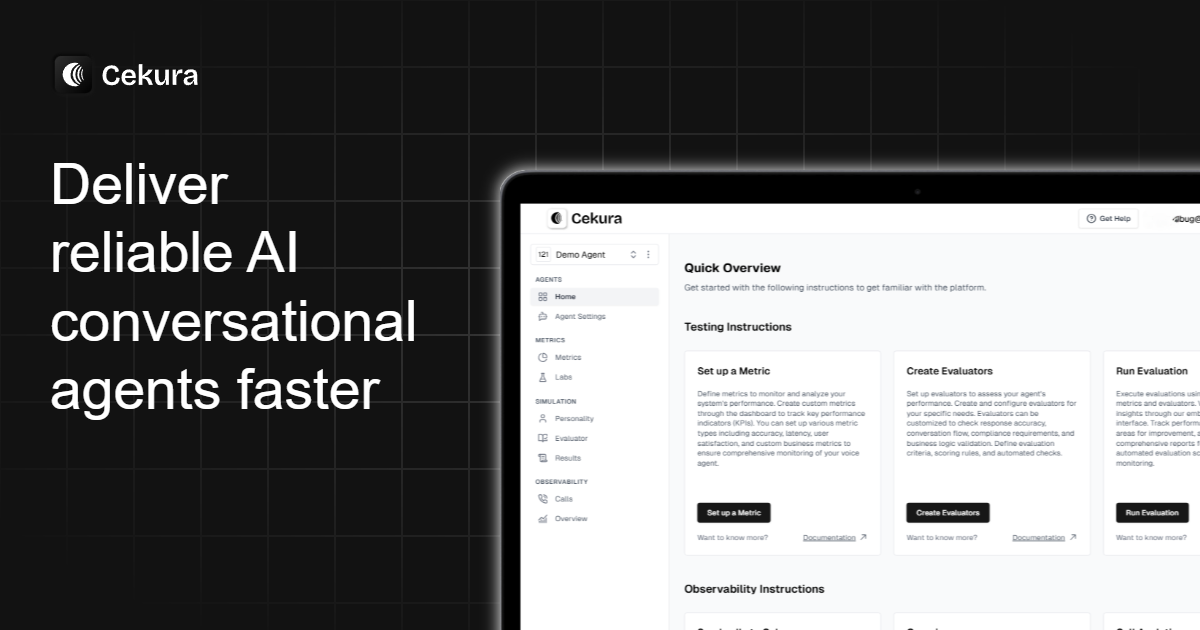
UI Components
- buttonPrimary: background=#000000, textColor=#FFFFFF, borderColor=#000000, borderRadius=12px, shadow=none
- buttonSecondary: background=#FFFFFF, textColor=#000000, borderColor=#E5E7EB, borderRadius=6px, shadow=rgba(0, 0, 0, 0) 0px 0px 0px 0px, rgba(0, 0, 0, 0) 0px 0px 0px 0px, rgba(0, 0, 0, 0) 0px 1px 2px 0px
Brand Personality
Tone: modern · Energy: medium · Audience: businesses using AI for customer service
Cekura Brand in the Wild
Real-world brand assets — ads, campaigns, marketing materials.
- Cekura Raises $2.4M to Scale Trustworthy Voice AI & Chat AI Monitoring
- Image:
- Source: https://www.cekura.ai/blogs/fundraise
- Blog | Cekura - AI Voice Agent Testing Insights & Best Practices
- Image:
- Source: https://www.cekura.ai/blogs
- ElevenLabs Pricing in 2026 Every Plan Tested and Broken Down
- Image:
- Source: https://www.cekura.ai/blogs/elevenlabs-pricing
- Lessons from the Field - What I Learned Setting Up AI Agents as Cekura's First FDE
- 7 Best AI Answering Services I Tested in 2026
- Image:
- Source: https://www.cekura.ai/blogs/ai-answering-service
Working with these fonts
Not found on Google Fonts? Instructions to follow if you have permission to use the fonts:
- Open the company's homepage in a browser with DevTools open.
- In the Network tab, filter by "Font".
- Hard-reload the page and click around to capture font URLs.
- Save the font files locally.
- Extract matching @font-face declarations from the CSS.
Only do this if you have permission to use the brand assets — most proprietary fonts are licensed and may not be redistributable.
Machine-Readable Profile
{
 "colorScheme": "light",
 "fonts": [
  {
   "family": "Inter",
   "role": "body"
  },
  {
   "family": "Bricolage Grotesque",
   "role": "heading"
  }
 ],
 "colors": {
  "primary": "#A6A7EA",
  "secondary": "#374151",
  "accent": "#000000",
  "background": "#FFFFFF",
  "textPrimary": "#000000",
  "link": "#6B7280"
 },
 "typography": {
  "fontFamilies": {
   "primary": "Inter",
   "heading": "Bricolage Grotesque"
  },
  "fontStacks": {
   "heading": [
    "Inter"
   ],
   "body": [
    "Inter"
   ],
   "paragraph": [
    "Inter"
   ]
  },
  "fontSizes": {
   "h1": "60px",
   "h2": "48px",
   "body": "14px"
  }
 },
 "spacing": {
  "baseUnit": 4,
  "borderRadius": "4px"
 },
 "components": {
  "buttonPrimary": {
   "background": "#000000",
   "textColor": "#FFFFFF",
   "borderColor": "#000000",
   "borderRadius": "12px",
   "borderRadiusCorners": {
    "topLeft": "12px",
    "topRight": "12px",
    "bottomRight": "12px",
    "bottomLeft": "12px"
   },
   "shadow": "none"
  },
  "buttonSecondary": {
   "background": "#FFFFFF",
   "textColor": "#000000",
   "borderColor": "#E5E7EB",
   "borderRadius": "6px",
   "borderRadiusCorners": {
    "topLeft": "6px",
    "topRight": "6px",
    "bottomRight": "6px",
    "bottomLeft": "6px"
   },
   "shadow": "rgba(0, 0, 0, 0) 0px 0px 0px 0px, rgba(0, 0, 0, 0) 0px 0px 0px 0px, rgba(0, 0, 0, 0) 0px 1px 2px 0px"
  }
 },
 "images": {
  "logo": "https://www.cekura.ai/logo-dark.svg",
  "favicon": "https://www.cekura.ai/favicon.ico",
  "ogImage": "https://www.cekura.ai/og_image.png",
  "logoHref": "/",
  "logoAlt": "logo"
 },
 "personality": {
  "tone": "modern",
  "energy": "medium",
  "targetAudience": "businesses using AI for customer service"
 },
 "designSystem": {
  "framework": "tailwind",
  "componentLibrary": ""
 },
 "confidence": {
  "buttons": 0.95,
  "colors": 0.9,
  "overall": 0.925
 }
}