Broccoli AI Brand: Colors, Fonts, Logo & Visual Identity
Broccoli AI Brand Identity
A complete profile of Broccoli AI's visual system — colors, typography, components, and personality — extracted from https://www.broccoli.com/. Built for designers, agents, and AI tools.
Color Palette
Brand palette extracted from https://www.broccoli.com/.
primary
#0F172A
rgb(15, 23, 42)
secondary
#F3E8FF
rgb(243, 232, 255)
accent
#6B21A8
rgb(107, 33, 168)
background
#FFFFFF
rgb(255, 255, 255)
textPrimary
#020817
rgb(2, 8, 23)
link
#020817
rgb(2, 8, 23)
Typography
Each font links to its Google Fonts page where available.
primary
Inter
Inter Google Fonts →
heading
Inter
Inter Google Fonts →
Visual Assets
Logo
Favicon
UI Components
Live previews rendered using Broccoli AI's actual button styles.
Input
input
background#FFFFFFtextColor#020817borderColor#E2E8F0borderRadius6pxshadownone
Button Primary
buttonPrimary
background#6B21A8textColor#F8FAFCborderRadius12pxshadownone
Button Secondary
buttonSecondary
background#FFFFFFtextColor#000000borderRadius12pxshadownone
Brand Personality
Tone: modernEnergy: mediumAudience: tech-savvy individuals and businesses
Broccoli AI Brand in the Wild
Image: broccoli.com
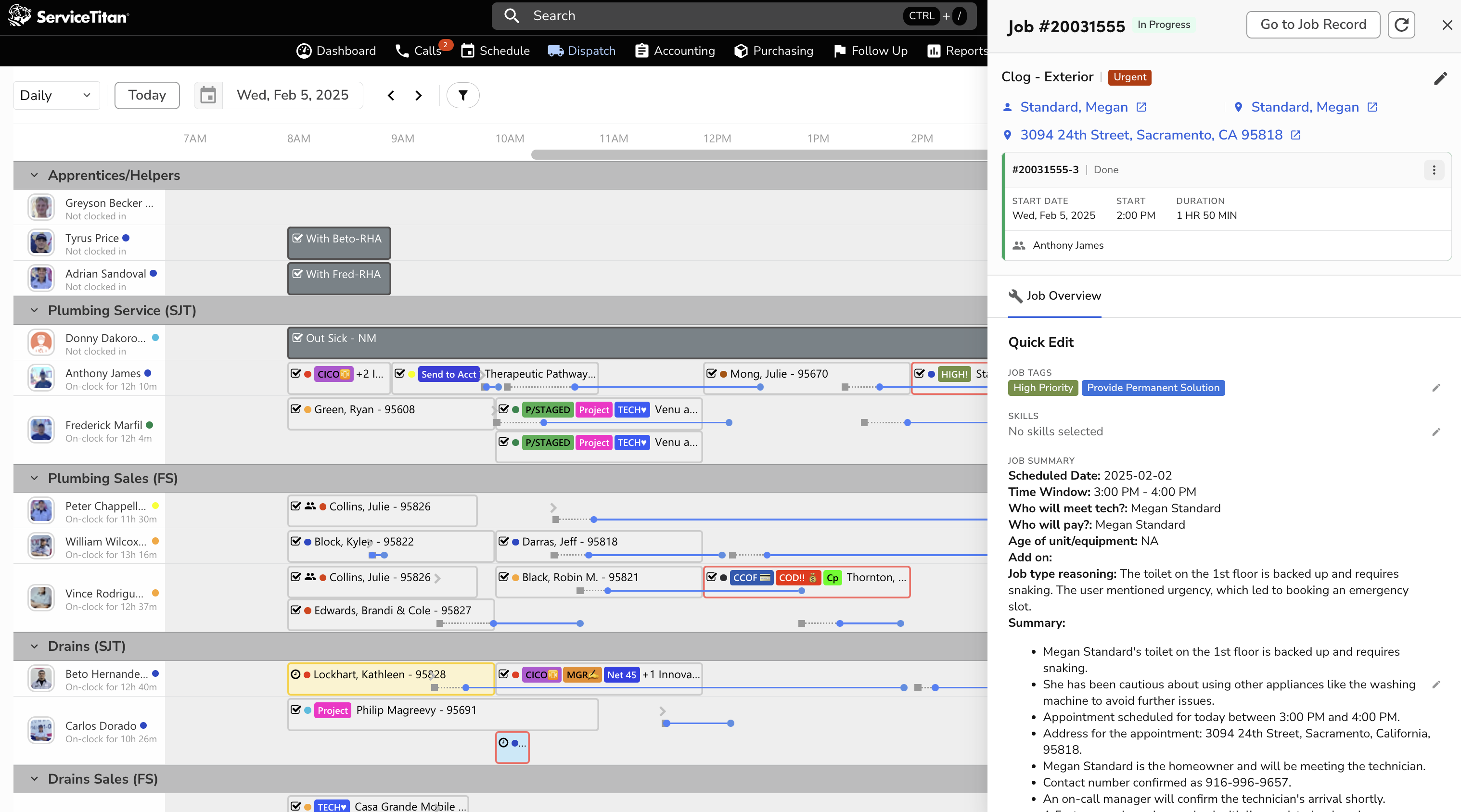
Source: broccoli.com
Image: broccoli.com

Source: broccoli.com
Image: broccoli.com
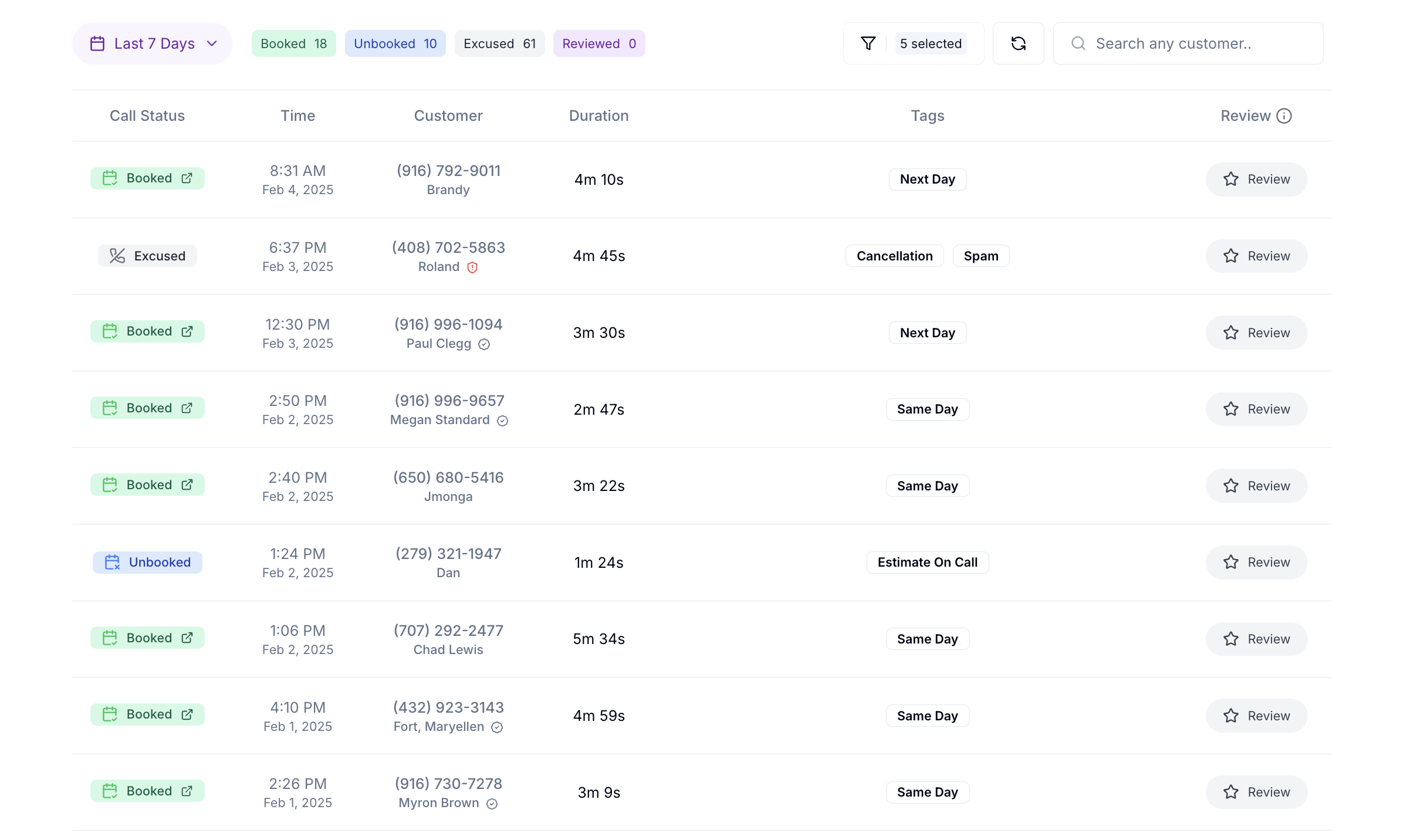
Source: broccoli.com
Image: broccoli.com

Source: broccoli.com
Image: i.ytimg.com
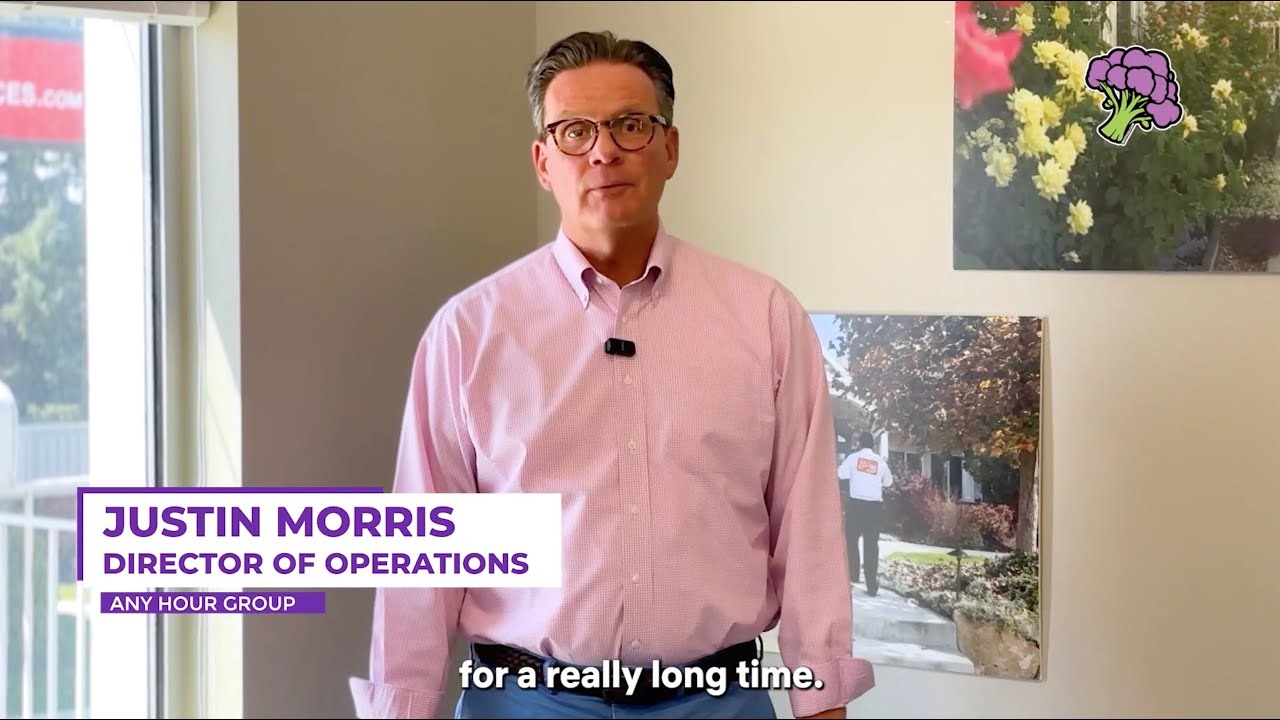
Source: broccoli.com
Image: broccoli.com

Source: broccoli.com
Frequently Asked Questions
What is Broccoli AI's primary brand color?
Broccoli AI's primary brand color is #0F172A. It anchors the visual identity across their website, product UI, and marketing materials.
What accent color does Broccoli AI use?
Broccoli AI uses #6B21A8 as an accent color, typically applied to interactive elements like links, buttons, and call-to-action emphasis.
What font does Broccoli AI use?
Broccoli AI uses Inter as the primary typeface across body and headings.
Does Broccoli AI use a light or dark theme?
Broccoli AI's primary site uses a light color scheme, with a background of #FFFFFF.
Where can I find Broccoli AI's logo?
Broccoli AI's logo is available directly on their site (https://www.broccoli.com/). The current logo URL is included in the machine-readable JSON profile linked above.
How was this brand profile generated?
This profile was extracted from https://www.broccoli.com/ using the Firecrawl branding extraction API, which inspects the live page's CSS, fonts, color tokens, and component styles. It is not affiliated with or endorsed by Broccoli AI.
Machine-Readable Profile
Direct endpoints for agents, designers, and tooling. No login or auth required.
{
  "colorScheme": "light",
  "fonts": [
    {
      "family": "Inter",
      "role": "body"
    }
  ],
  "colors": {
    "primary": "#0F172A",
    "secondary": "#F3E8FF",
    "accent": "#6B21A8",
    "background": "#FFFFFF",
    "textPrimary": "#020817",
    "link": "#020817"
  },
  "typography": {
    "fontFamilies": {
      "primary": "Inter",
      "heading": "Inter"
    },
    "fontStacks": {
      "heading": [
        "__fontUrban_b7e949",
        "__fontUrban_Fallback_b7e949",
        "ui-sans-serif",
        "system-ui",
        "sans-serif",
        "Apple Color Emoji",
        "Segoe UI Emoji",
        "Segoe UI Symbol",
        "Noto Color Emoji"
      ],
      "body": [
        "Inter",
        "ui-sans-serif",
        "system-ui",
        "sans-serif",
        "Apple Color Emoji",
        "Segoe UI Emoji",
        "Segoe UI Symbol",
        "Noto Color Emoji"
      ],
      "paragraph": [
        "Inter",
        "ui-sans-serif",
        "system-ui",
        "sans-serif",
        "Apple Color Emoji",
        "Segoe UI Emoji",
        "Segoe UI Symbol",
        "Noto Color Emoji"
      ]
    },
    "fontSizes": {
      "h1": "90px",
      "h2": "60px",
      "body": "20px"
    }
  },
  "spacing": {
    "baseUnit": 4,
    "borderRadius": "4px"
  },
  "components": {
    "input": {
      "background": "#FFFFFF",
      "textColor": "#020817",
      "borderColor": "#E2E8F0",
      "borderRadius": "6px",
      "borderRadiusCorners": {
        "topLeft": "6px",
        "topRight": "6px",
        "bottomRight": "6px",
        "bottomLeft": "6px"
      },
      "shadow": "none"
    },
    "buttonPrimary": {
      "background": "#6B21A8",
      "textColor": "#F8FAFC",
      "borderRadius": "12px",
      "borderRadiusCorners": {
        "topLeft": "12px",
        "topRight": "12px",
        "bottomRight": "12px",
        "bottomLeft": "12px"
      },
      "shadow": "none"
    },
    "buttonSecondary": {
      "background": "#FFFFFF",
      "textColor": "#000000",
      "borderRadius": "12px",
      "borderRadiusCorners": {
        "topLeft": "12px",
        "topRight": "12px",
        "bottomRight": "12px",
        "bottomLeft": "12px"
      },
      "shadow": "none"
    }
  },
  "images": {
    "logo": "https://www.broccoli.com/logo.svg",
    "favicon": "https://www.broccoli.com/favicon.ico",
    "ogImage": null,
    "logoHref": "/",
    "logoAlt": "Logo"
  },
  "personality": {
    "tone": "modern",
    "energy": "medium",
    "targetAudience": "tech-savvy individuals and businesses"
  },
  "designSystem": {
    "framework": "tailwind",
    "componentLibrary": ""
  },
  "confidence": {
    "buttons": 0.95,
    "colors": 0.9,
    "overall": 0.925
  }
}